
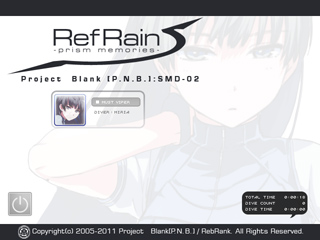
The login screen is displayed after launching the game.
Selecting a character takes you to their respective desktop.
The following counters are displayed on the bottom right of the screen:
- TOTAL TIME: Total amount of time the game has been running
- DIVE COUNT: Number of times diving into the M.R.S.
- DIVE TIME: Total amount of actual gameplay time
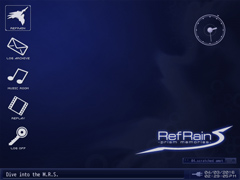
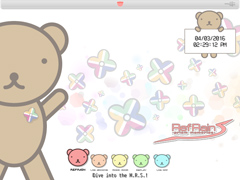
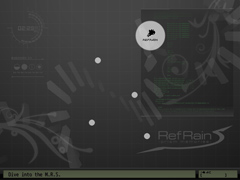
The following modes are selectable from each character's desktop:
When starting the game, you are prompted to select a difficulty.
Select the Log Archive in the Desktop to access both system logs as well as character message logs.
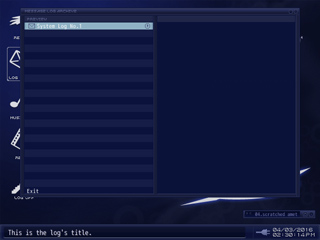
| Key | Action |
|---|---|
| Up and down arrow keys | Move the cursor |
| Right arrow key | Display log |
| Left arrow key | Return to list |
| Z key | Display log |
| X key | Return to list |
The message log will grow in size as you progress through the game.
Select the Music Room from the desktop to listen to the game's soundtrack.
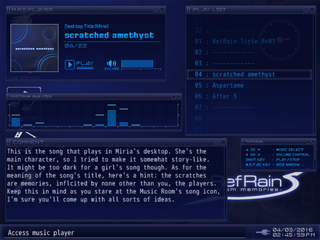
| Key | Action |
|---|---|
| Up and down arrow keys | Select a song |
| Left and right arrow keys | Adjust the volume |
| Z key | Confirm / Play / Pause |
| X key | Exit the Music Room |
Music Room appearance and controls vary slightly depending on your character.
Also, song comments are not displayed in Mews's Music Room.
Watch your saved replay data.
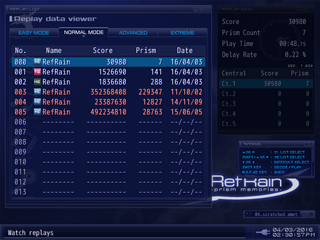
| Key | Action |
|---|---|
| Up and down arrow keys | Select replay data |
| Left and right arrow keys | Change the difficulty |
| Z key | Confirm / Play |
| X Key | Return to list / Exit |
- A list of replays is displayed in the left window, while the right window contains replay data details.
- Replays are separated by difficulty. Use the left and right arrow keys to switch between difficulties.
- The displayed replay data is shared between characters.
- You can check what character was used in a replay by checking the icon next to its name.
- An icon is automatically added to replay data that has been retried.
- Replay data saved on a version of the game different from the current one is shown on the list, but is unplayable.
- Hold the shift key and use the up and down arrow keys to go through the replay data list 5 entries at a time.
- Press the space bar while watching a replay to increase its speed to 4x.
- Delay Ratio refers to slowdown. Please use it as an approximation.